
Freeware · Windows 10/11
Dual Amp Loader
Two independent amp paths in one app: NAM profiles and VST3 plugins, each with its own impulse response, blended freely. Plus a Capture Studio for your own NAM models and TONEX captures.
Features
Two amps. One sound.
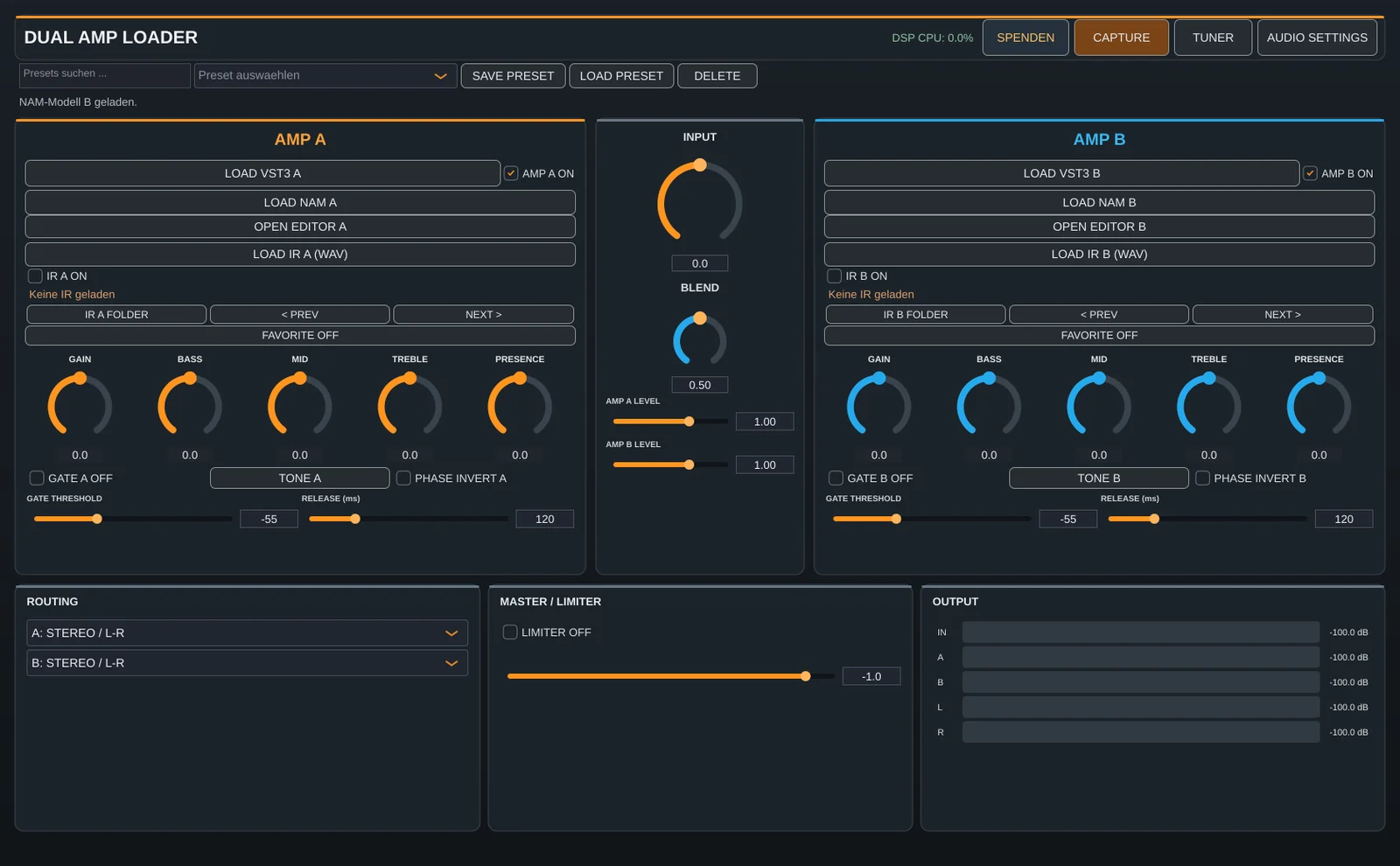
Two slots, freely blended
Amp A and amp B run in parallel. You set blend, level and stereo routing – from a huge double-amp tone to a clean/dirt bass split.
NAM and VST3
Each slot loads a Neural Amp Modeler profile (.nam) or any VST3 plugin, including its editor window.
Dual IR
One impulse response per slot, with folder browsing and favourites – for auditioning cabinets quickly.
Gate, tone, limiter
Noise gate per slot, equalizer in the tone window, phase invert and an output limiter.
Presets and tuner
Save and browse complete setups, built-in tuner, level meters for every path.
ASIO and Windows Audio
Works with your interface’s ASIO driver or with Windows Audio, low-latency and stable.
Capture Studio
Your own captures – right in the app
The CAPTURE button opens the Capture Studio. It has four sections:
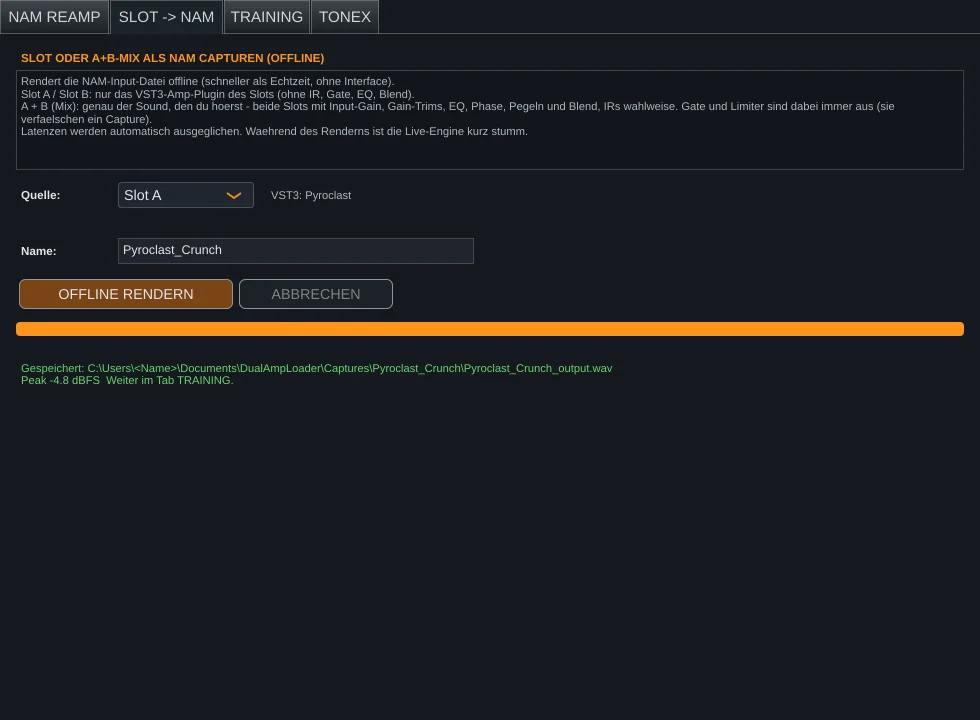
NAM profile from a plugin
- In the SLOT → NAM tab, choose slot A, slot B or the mix and render. This runs offline and takes seconds.
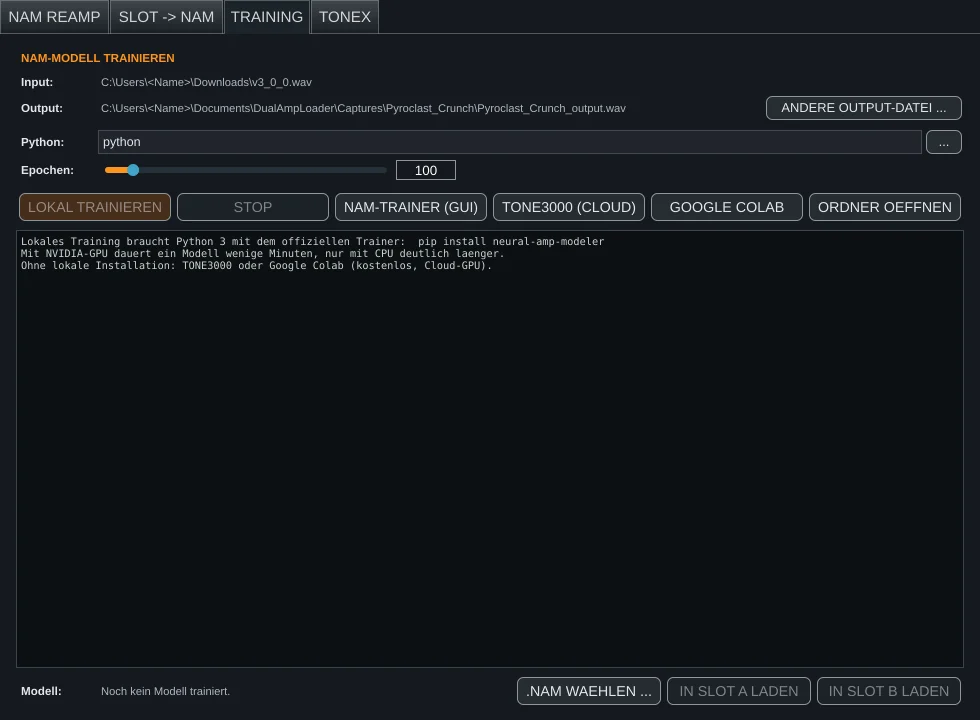
- In the TRAINING tab, input and output are already filled in. Click TRAINING EINRICHTEN once – Python, PyTorch and the NAM trainer are installed automatically.
- Start training. A progress bar shows the epoch and remaining time. The finished
.namfile ends up in the capture folder and can be loaded straight into a slot.
Capturing real amps
In the NAM REAMP tab, Dual Amp plays the NAM test signal through your interface into the amplifier and records it at the same time – with level test, latency measurement and clipping warning.
Tips for clean captures
- Switch off delay, reverb, chorus and doubler in the plugin
- Turn the plugin’s noise gate off – otherwise the model learns the gate
- With an NVIDIA graphics card training takes minutes, on the CPU alone it takes longer
TONEX without a reamp box
The Dual Amp Bridge
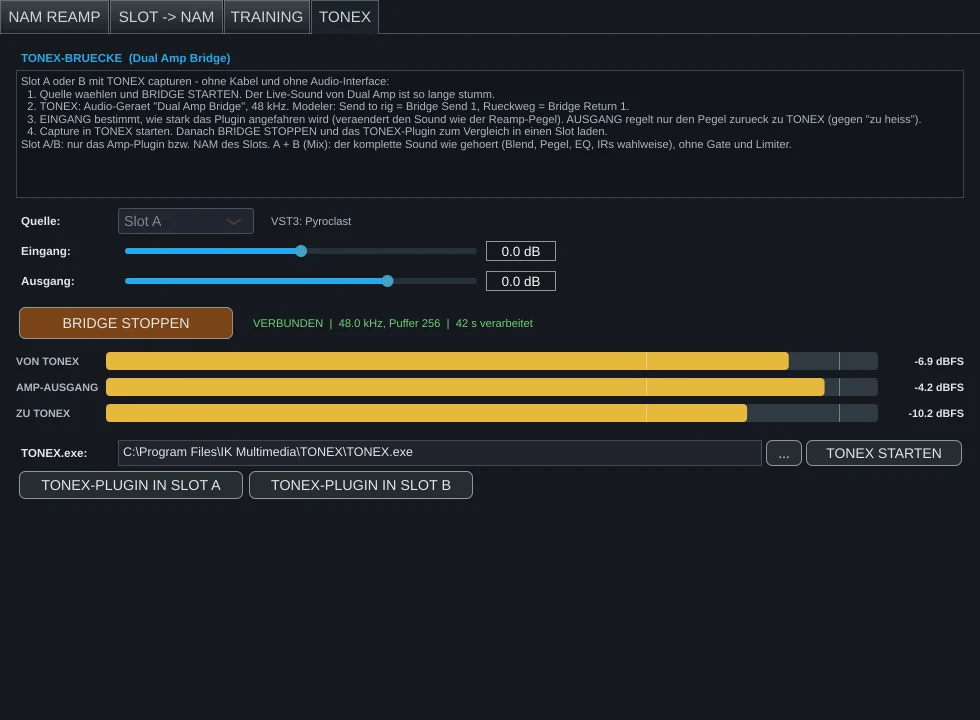
TONEX captures normally need an interface with a reamp path or a virtual audio cable. Dual Amp Loader comes with its own ASIO driver instead: the Dual Amp Bridge. TONEX selects it as its audio device, and the signal runs through your slot internally – lossless and without cables.
- In the TONEX tab, choose the source (slot A, B or A + B) and click BRIDGE STARTEN
- In TONEX, select Dual Amp Bridge at 48 kHz as the audio device: send = Bridge Send 1, return = Bridge Return 1
- Eingang (input) sets how hard the plugin is driven, Ausgang (output) only the level back to TONEX
- Start the capture in TONEX, then stop the bridge
The bridge is only active when an audio program selects it. It is a separate, optional component in the installer.
Download
Download Dual Amp Loader
Dual Amp Loader
Version 0.22.8Free- System
- Windows 10/11 (64-bit)
- Format
- Standalone app, ASIO driver “Dual Amp Bridge”
- License
- Free (freeware, proprietary license)
By downloading you accept the license terms.
System requirements
- Windows 10 or 11, 64-bit
- Audio interface with ASIO driver recommended (Windows Audio works too)
- For NAM training: about 4 GB of free space, internet for the one-time setup
- For TONEX captures: TONEX (Modeler) by IK Multimedia
The file is a regular Windows installer. It asks whether to install the Dual Amp Bridge and whether to set up NAM training right away. The app itself is currently in German. About the Windows warning
FAQ
Frequently asked questions
Is Dual Amp Loader really free?
Yes. No demo, no subscription, no ads. If you like the program, a donation is appreciated – but never required.
Why does Windows warn me when I start the installer?
The installer is not (yet) signed with an expensive code-signing certificate, so SmartScreen warns about new programs from small developers. Downloads → Safety explains how to check the file yourself.
Do I need Python or programming skills for NAM training?
No. The TRAINING EINRICHTEN button downloads a separate, self-contained Python environment with PyTorch and the official NAM trainer into your user folder. Your system Python is not touched.
May I share captures of other companies’ plugins?
Your captures belong to you. Whether you may publish a profile of a third-party plugin depends on that plugin’s license. Private use is generally fine; for sharing, please read the manufacturer’s terms.
Is there a Mac version?
Not at the moment. Dual Amp Loader and the Dual Amp Bridge are built for Windows.
Does the program collect data?
No. Dual Amp Loader sends nothing. The internet is only used when you open a link yourself or set up NAM training (downloads from python.org, pypi.org and download.pytorch.org).